Skip to content





What is PTC Illustrate?
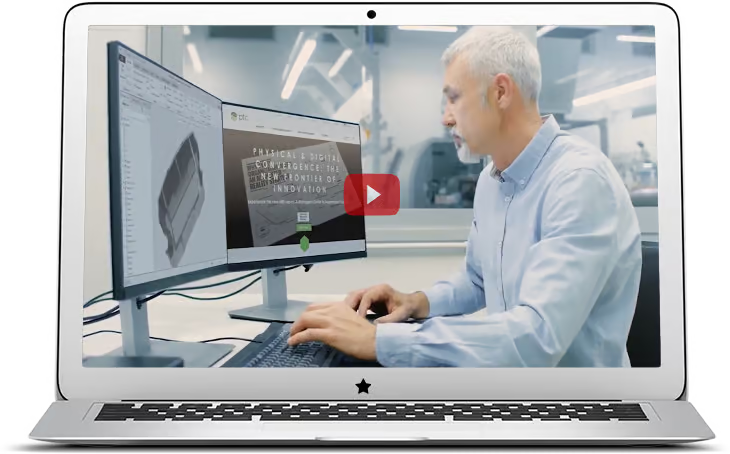
PTC Illustrate enables companies to transform CAD or engineering data into create rich 3D technical illustrations, 2D drawings, and interactive animated sequences that accurately reflect current product configurations and support formats from hard copy to augmented reality.
What are the benefits of PTC Illustrate?
Swipe →
Key features
Repurpose CAD data for 3D technical illustrations and animations
Easily create 3D technical illustrations by importing design data from all major CAD systems. Maintain an associative link to the original CAD file to automate the 3D illustration change process when it comes to modifications to engineering design.
2D and 3D publish and export capabilities
Publish all the steps from a sequence to 2D or 3D formats with a single click in multiple options of vector/raster formats.
Generate illustrated parts lists and callouts
Create an interactive parts list with callouts that reflect the structure of the sBOM, representing the entire bill of materials or a subset.
The Leading Edge in Technical Illustrations: Discover the Capabilities!
With PTC Illustrate, technical illustrations come alive! Transform CAD data and original CAD files into vibrant 3D illustrations, interactive parts lists, and 3D animations that make complex product information easy to follow. Built to support major CAD systems, PTC Illustrate pulls associative CAD data and metadata directly into every illustration file, so all elements stay accurate as engineering design changes. Our wide range of support formats lets you share content seamlessly, from hard copy to augmented reality.
Rapid 3D Content
Empower Illustrate to develop 3D content in as little as 15 minutes!
Precision Identification
Reduces the amount of text and increases parts identification accuracy.
Associative Updates
Automatically updates content as engineering and design changes occur.
Immersive Strategy
Sets the foundation for an augmented reality strategy.
Service information delivery at Vestas
Vestas leveraged Arbortext and PTC Illustrate for service information delivery. They integrate mechanical, electronic, and software designs with illustrations, images, animations, and text for service documentation that automatically updates service technicians with the latest product design changes.
Watch Maria discuss how Vestas has implemented service information management connecting up- and downstream users through a digital thread in Windchill.
Watch the Video
Watch Maria discuss how Vestas uses a single source of truth in Windchill to create technical 2D/3D illustrations directly from CAD engineering data.
Watch the Video
Watch Maria discuss how Vestas implemented a modular content strategy with Arbortext Editor to enable faster delivery of content and cost savings.
Watch the Video
Watch Maria discuss how Vestas uses a digital thread to automate the creation of the parts catalog and ensure accurate data is delivered to customers.
Watch the Video
Watch Maria discuss how Vestas uses a single source of truth in Windchill to create technical 2D/3D illustrations directly from CAD engineering data.
Watch the Video
Built for Industries That Demand Accurate Technical Documentation
Explore the Technical Illustration Capabilities of PTC
CAD Data Reuse
Create 3D technical illustrations and animations derived from engineering CAD data.
Content Reuse
Create an illustration once and use it across multiple publications.
Product Structure
Organize part-related content based on how those components fit within the product’s bill of materials.
Associative CAD
Keep the illustrations updated as product design changes.
Comprehension
Annotations allow for clearer communication by augmenting your 3D content with callouts, symbols, and other references.
Reduce Translation Costs
Replacing text with illustrated step-by-step procedures, 3D animations, parts lists, and other representations.
Sequencing
Illustrate repair, assembly, and other procedures through static and dynamic illustrations.
Parts Lists
Generate complete parts lists for all your products and use those lists to define a product structure.
Augmented Reality Foundation
Seamless reuse of 3D illustrations and animations for AR.
Frequently Asked Questions
Links to Other Pages
- Classification of Parts: Learn about part classification methods to help your engineering processes and improve productivity.
- Augmented Reality Illustration Using PTC Illustrate: Explore augmented reality (AR) with PTC Illustrate, creating visualizations for your products.
- PTC Illustrate Tutorial – 2D and 3D Illustrations: Creating 2D and 3D illustrations with PTC Illustrate.
- 2D Augmented Reality Using PTC Illustrate: Review 2D augmented reality (AR) with PTC Illustrate, which assists with product visualization.
- Geometric Similarity Search: Focusing on geometric similarity search techniques to find relevant CAD models accurately.