Skip to content




October 13, 2023
What is Top Down Design & Its Impact on Engineering
READ TIME: 5 MINS
In the world of Computer-Aided Design (CAD), top-down design stands out as a transformative approach to the design process. Used inside platforms like PTC Creo, this methodology — sometimes called top-down modeling — starts at the top level of the product and pushes information down into individual components. Compared to traditional CAD workflows, where parts are built in isolation, the top-down approach keeps every single part anchored to a shared design intent.
Below, we break down what top-down design is, how it compares to the bottom-up approach, and how it shows up in your day-to-day assembly modeling.
What is Top Down Design?
Top-down design is a CAD methodology that begins with a holistic view of the assembly — overall shape, layout, and key references — and progressively breaks it into individual components. Instead of designing each component on its own and stitching them together later, engineers define the top level first and let every part inherit geometry from a single source.
Consider an electric vehicle. Before any single part is modeled, designers establish the EV’s overall silhouette, wheelbase, and packaging targets. From there, the battery, drivetrain, computer chips, sensors, and body panels are all developed against that shared framework — ensuring every component plays its crucial role without geometric conflict.

How Does Top-Down Design Work?
These two approaches solve different problems:
- Top-down design starts with the whole and works toward the parts. Best when individual components are highly interdependent and geometry must be tightly controlled across the assembly.
- Bottom-up design starts with individual components and assembles them into a whole. The bottom-up approach works well when parts are off-the-shelf, well-defined, or sourced externally.
Most real-world projects blend both. A bottom-up workflow handles catalog hardware, while a top-down approach manages the custom geometry that defines the product. For broader engineering context, ASME’s Journal of Mechanical Design publishes solid material on systems engineering practices.
Bottom Up Design vs Top Down Design
Bottom up design vs top down design are two contrasting approaches in the design process. Top-down takes a holistic view, starting with an overall perspective before diving into specifics. On the other hand, bottom-up design begins with individual components, gradually building them into a comprehensive system.
The advantage of bottom-up design is that it is particularly useful when the broader picture is unclear, but the specifics are well-defined. Crafting or sourcing individual components first allows for a more focused and efficient approach to creating a system.
Whether using top-down or bottom-up design, understanding their differences and choosing the right approach can greatly impact the success of a project.

Where Top-Down Design Makes the Biggest Impact
Top-down techniques pay off across several disciplines:
- Product design and development: Custom geometry, complex assemblies, and downstream analysis — including finite element analysis and topology optimization — all benefit when every component stays tied to a single master.
- Computer science: Software architects apply the same logic, defining overall system purpose first and then building modular code beneath it.
- Systems engineering and management: Systems engineers and leadership work top-down on strategic goals while feedback flows upward, creating balanced decision-making.
Emerging artificial intelligence tools for CAD — including AI-driven geometry generation and topology optimization software — also lean on top-down structures, since AI performs better when design intent is clearly defined upfront.
Embracing The Advantages of Top-Down Design
Returning to the electric vehicle example: beyond the battery and electronics, there are seats, safety features, gauges, and infotainment systems. The advantages of top-down design are that it provides clarity across all these systems, highlighting their differences and enabling the breakdown of the entire vehicle into smaller, manageable components.
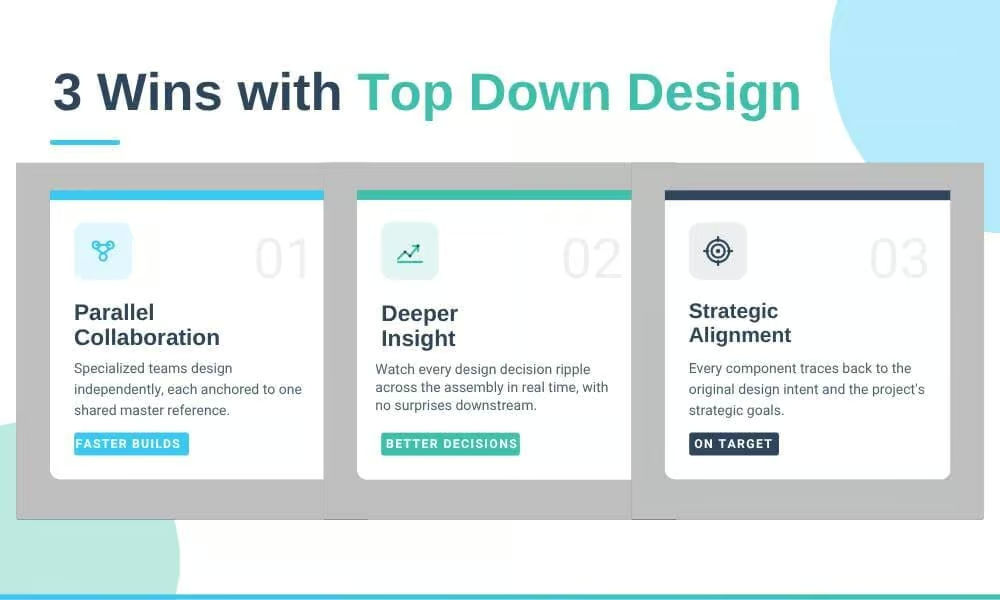
The biggest wins:
- Parallel collaboration. Specialized teams work independently while referencing one master model.
- Deeper insight at every stage. Project managers see how each decision cascades across the assembly.
- Strategic alignment. Every component traces back to the original design intent and the project’s strategic goals.
Want to see top-down design in motion? PTC offers an overview video on Creo top-down workflows that walks through skeleton-based modeling step by step.
Practical Implementation of Top-Down in 3D CAD Modeling
Here’s how the top-down design approach shows up inside your CAD software every day:
MASTER MODELS
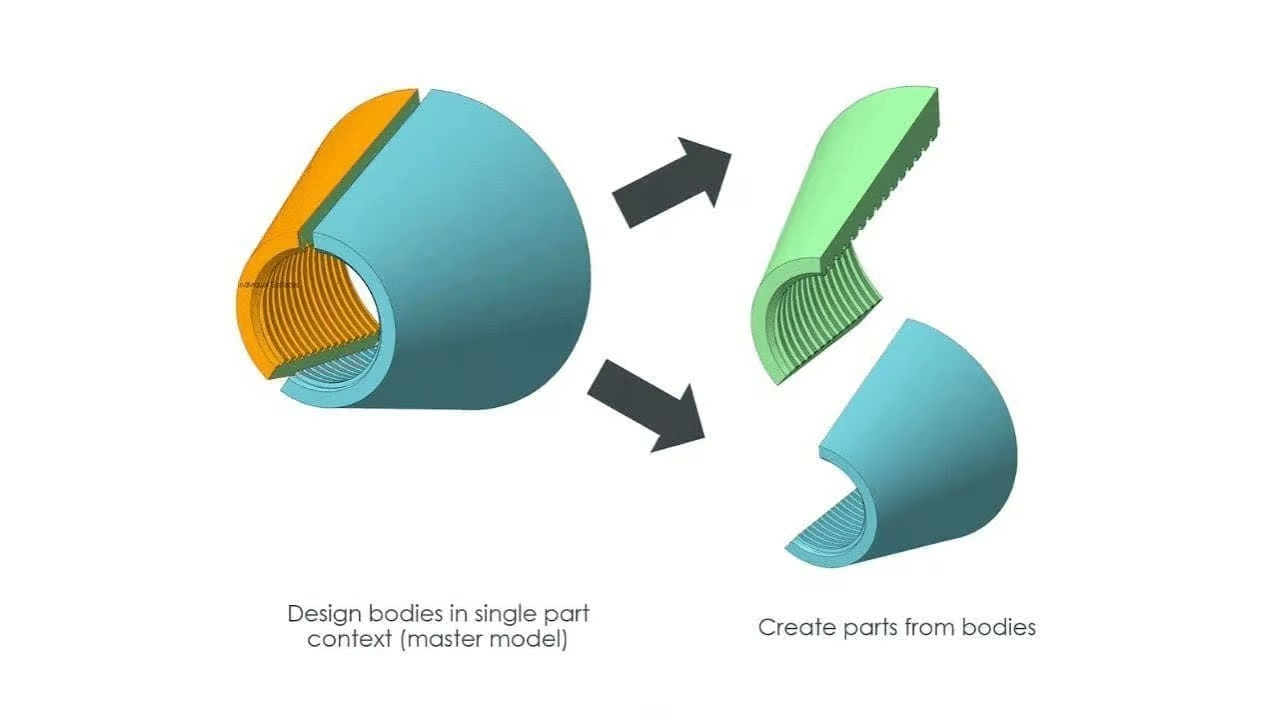
Master models contain crucial information about dimensions, surfaces, and overall layout for assemblies and subsystems. Each part can access this information, ensuring consistency throughout the entire model. Now, you might have heard the terms “master modeling” and “skeletons” used interchangeably, but there are some nuanced differences, which we’ll get into later.
ASSEMBLY CONTEXT
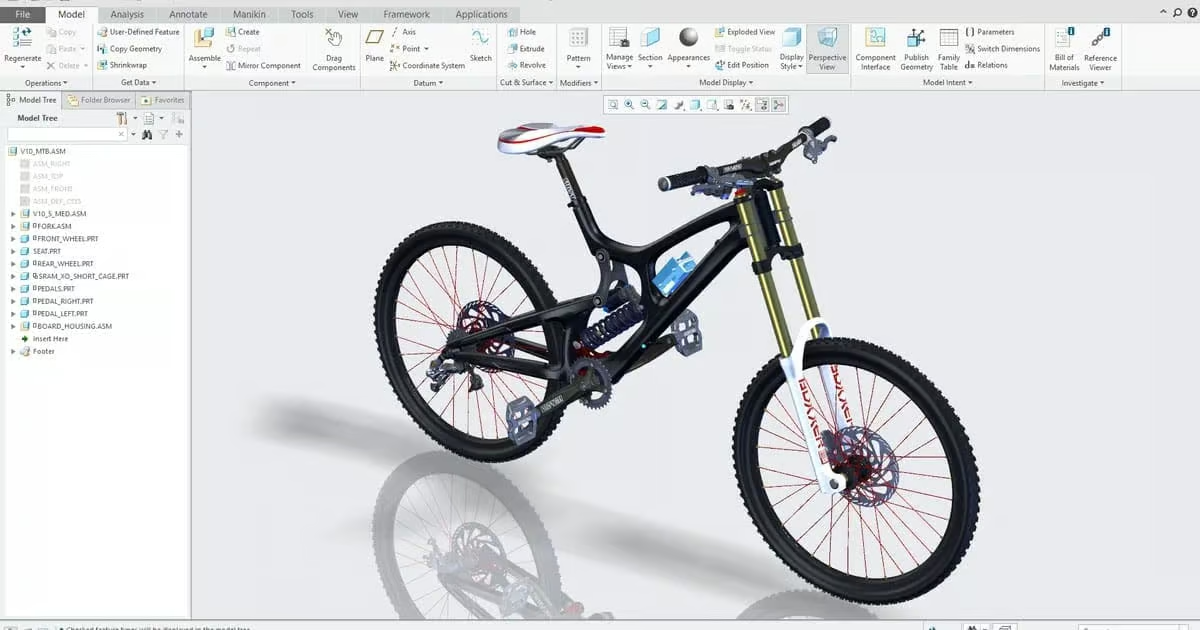
Understanding how the part you’re actively working on fits into the bigger picture is vital. You need to know if any changes you make will have ripple effects up or downstream. That’s where the master model comes in handy. With a master model, you can easily share data across different contexts, allowing you to reuse a single part or assembly in multiple scenarios.
MULTI-BODY PART DESIGNS
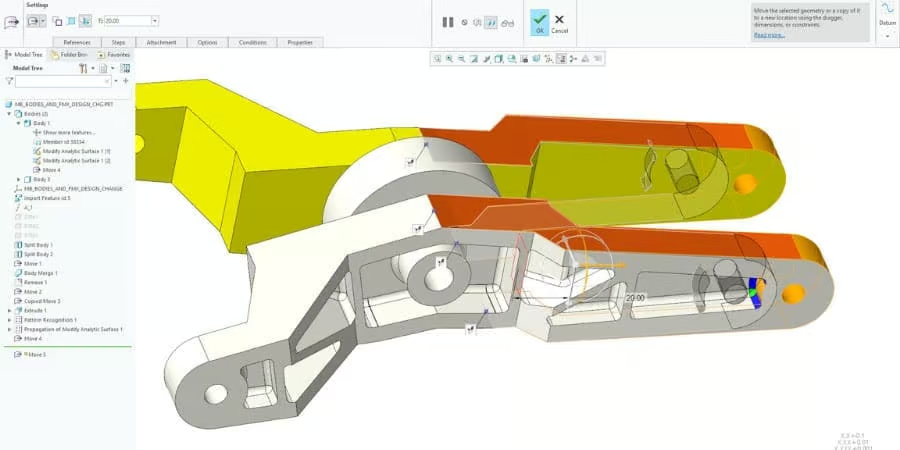
Here’s the exciting part: top-down design and multi-body design part designs can work together seamlessly. By using the master model in conjunction with multi-part designs, you gain faster part conceptualization, simpler assemblies, and robust data-sharing capabilities.
SAVE TIME WITH SKELETONS
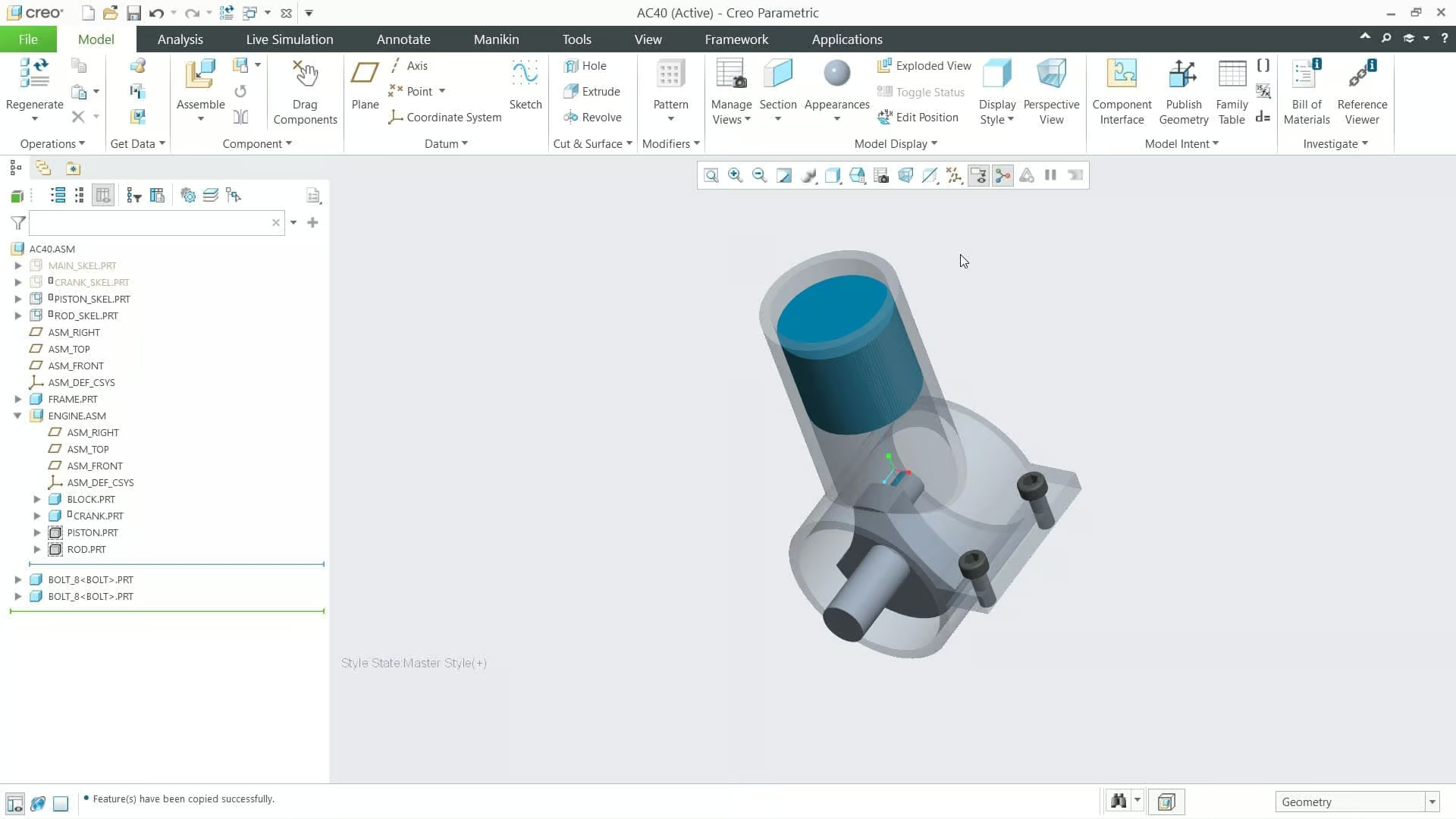
Imagine building a car; the first basic sketch you create is known as a skeleton. It captures the design intent and serves as a central object for tracking references and interdependencies. Skeletons can even incorporate early-stage motion or kinetic features. Top-down brings benefits in three distinct areas. The key geometric design information resides in the skeleton, while dimensions and calculations are stored in engineering notebooks like PTC Mathcad. This data is then shared across all the individual components, managing relationships and features automatically.
Three Ways Top-Down Design Saves Time and Money
- Geometric intent stays in the skeleton, while dimensions and calculations live in PTC Mathcad notebooks.
- Data is shared automatically across all individual parts and features through publish and copy geometry.
- In-context relationships are managed for you, removing manual rework when changes ripple through the assembly.
Without top-down design, even a small change to one part of a model can become a daunting task. With it, updates propagate automatically — including any linked Mathcad calculations — keeping the entire model consistent and aligned with the original vision.

Discovering The Advantages of Top Down Design
Whether you’re fine-tuning existing assemblies or starting a new project, the top-down design approach delivers stronger team collaboration, faster development timelines, superior product quality, and minimized waste.
Ready to start designing the products of the future? Learn more about PTC Creo or start your 30-day free trial.
Links to Other Pages
- Cost and Time Savings with Clear 3D Printing: Discover how clear 3D printing can drive cost and time savings by improving prototyping efficiency and accelerating the design process.
- PDM Solutions: Moving from Excel, How and Why?: Learn why and how to transition from Excel to PDM solutions, unlocking better data management and collaboration across your teams.
- What is Codebeamer?: Explore Codebeamer, an application lifecycle management tool that enhances collaboration, traceability, and product development efficiency.
- PLM Change Management – Best Practices: See best practices in PLM change management, ensuring smooth transitions and reducing risks during product lifecycle changes.
TriStar Digital Thread Solutions welcomes questions. Feel free to CONTACT US if you can’t find what you’re looking for, or call us at 800-800-1714